If you mean how to create a post on your WeConectus platform, the basic flow should be:
- Log in to WeConectus.
- Go to your Home/Feed.
- Click the post composer (whats is on your mind?).
- Choose what you want to share:
- 📝 Text
- 📷 Photos
- 🎥 Video
- 🔗 Link
- 📁 Digital content/file, if your marketplace supports it
- 🔊 Voice Notes and more
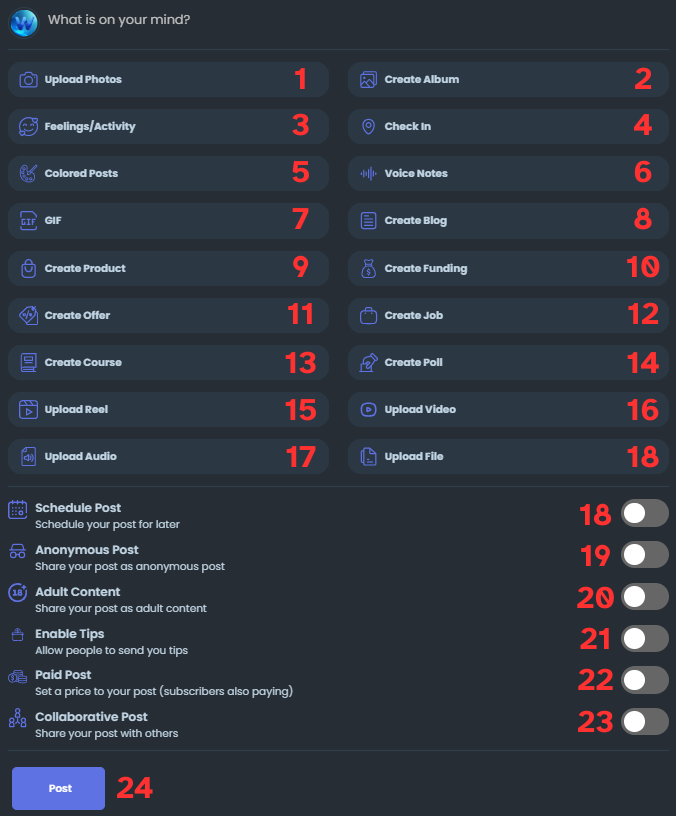
- Write your message or add your media.
- Choose the options :
- Schedule post
- Post As Anonymous
- Adult Content
- Enable Tip
- Post Paid
- Collaborative Posts
Add optional hashtags, location, or tags.
- Click Post/Publish.
If the issue persists, contact our support team.